← Schema

Agentic Design

Learning to design through AI agents, from prompting production-ready components to designing the interfaces an AI assistant lives in.

Role
Product Designer
Projects
Retail analytics platform, Schema website, this portfolio
Timeframe
Apr - Sep 2026
Tools
Claude Code, Codex, GitHub, Figma

Starting from Zero

In early 2026, the way our team worked changed quickly. Prototypes built in code with Claude were starting to beat what we could make in Figma, and I was honestly unsure where a designer fit in. My manager’s view was that designers would soon direct teams of AI agents, which meant getting fluent with tools I had never touched.

So I treated it as a skill to build, not a threat. I started with the terminal, Git, and Claude Code, and used a real client project as the place to learn.

April

The Command Line

I set up Claude Code in the terminal and worked through Anthropic’s courses on AI agents alongside Git fundamentals.

May

My First Pull Request

I cleaned up a tangled local setup, opened my first design-system PR, and learned to commit, branch, and review.

June - July

Working at Speed

With the repo’s agent instructions in place, most blockers were solved in minutes, either by Claude or by a teammate.
Designing by Prompting

On a retail analytics platform for a client, our technical lead set up a repository where the design system’s rules lived in instruction files that AI agents follow by default. Inside that setup, I designed about twenty components and three product modules by describing them to Claude Code, then reviewing and correcting what it built.

Over two months I opened 27 pull requests this way. Most of them were generated with Claude Code and then shaped by hand.

Frame the Intent

Start from a sketch, a reference, or a quick tweak in the browser inspector, not a blank prompt.

Prompt Within the Rules

The repo’s agent instructions carry the system’s conventions, so each prompt only has to describe the design.

Jump in When It Drifts

The agent handles most of the build. When spacing, states, or tokens go off-system, I step in and correct it.

Hand It to Review

Every change lands as a pull request with a live preview and a note on the design decisions reviewers should check.

One of my Claude Code sessions on the ToggleGroup atom, from “make them more subtle” to “the dot looks good.” My prompts are verbatim; Claude’s replies are trimmed and the preview-server steps are left out.

#203 · Merged Jul 8, 2026 · +332 −0 · 6 files

Add ChatBubble Molecule

## For Reviewers

  • – suggestions is intentionally a flat string[]. The callback stays dumb; conversation state belongs in the future assistant molecule.
  • – Tail corner is 0px; bubble radius is --cd-radius-xl (12px), matching dialog corners.
  • – role="log" + aria-live="polite" go on the parent message list, not on individual bubbles.

#115 · Merged Jun 5, 2026 · +310 −1 · 6 files

Add AgenticSearchBar molecule

## Tokens

  • – 13 new component tokens (--agenticsearch-*), all mapped to semantic tokens.
  • – No primitive --cd-* references in TSX.
  • – Accessibility: role=combobox, aria-haspopup=listbox, aria-expanded. No aria-live region yet, noted in the showcase.

Excerpts from my pull request descriptions, trimmed for length.

The Lesson That Stuck: Say What You Mean

On my first component, I told Claude to use specific raw colors by name. It did exactly that, and quietly worked around the system’s semantic tokens. Nothing looked wrong, but the component would have broken the next time the brand changed.

After a review with our technical lead, I switched to prompting for component-level tokens built on semantic ones. By my AgenticSearchBar pull request a few weeks later, the component had its own token set and no raw color references at all.

Agents do what you say, so the design judgment has to be in the prompt.

Designing for AI, with AI

The client wanted an assistant that felt built into the product. From the specs and references our lead provided, I designed and built its conversation components, starting from paper sketches and low-fidelity concepts that I used to steer Claude.

ChatBubble

The Conversation Itself

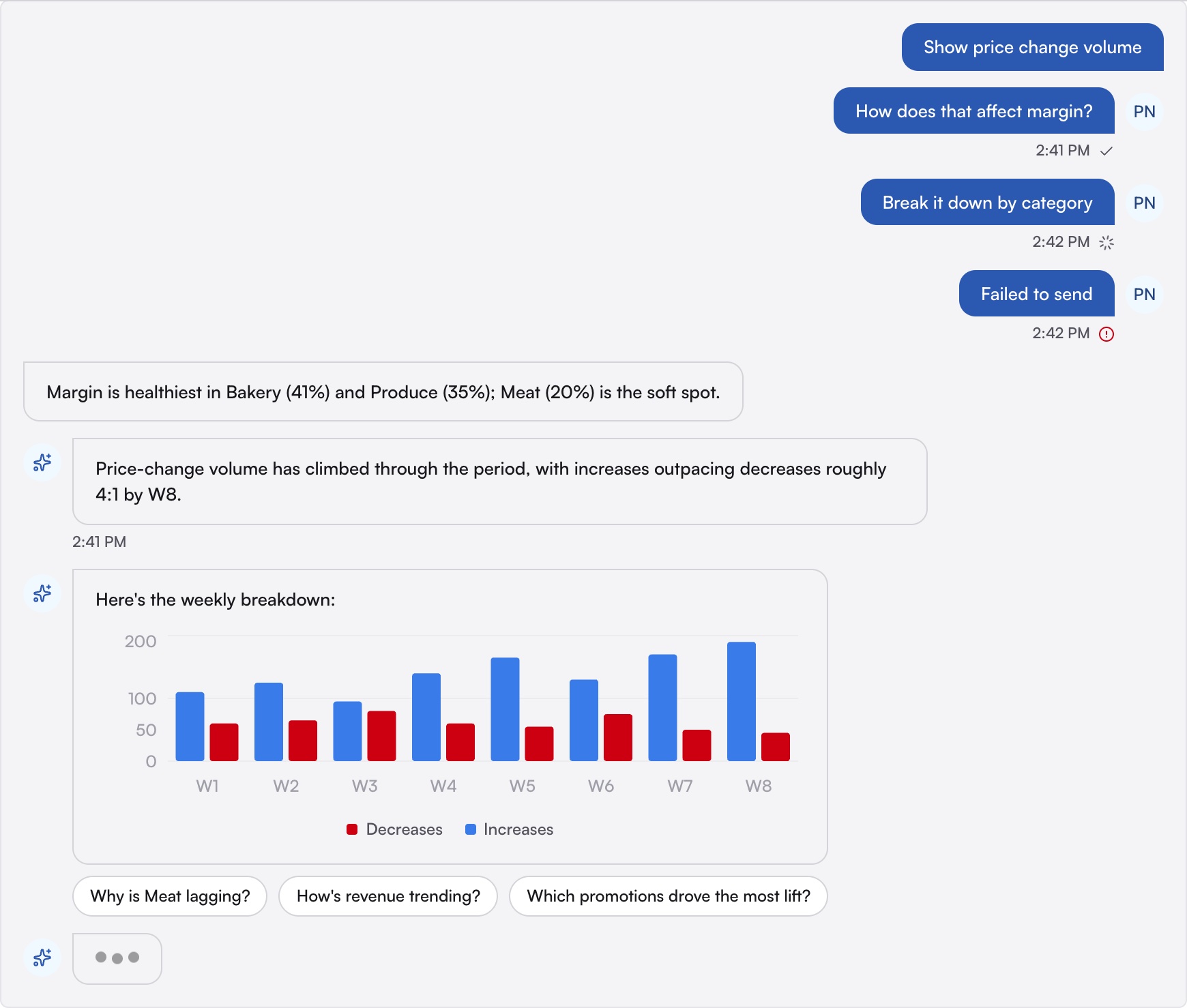
User and assistant bubbles with sending, sent, and error states, a typing indicator, and suggested follow-up chips. All of it is styled through the chat’s own component tokens.

AgenticSearchBar

An Entry Point for the Assistant

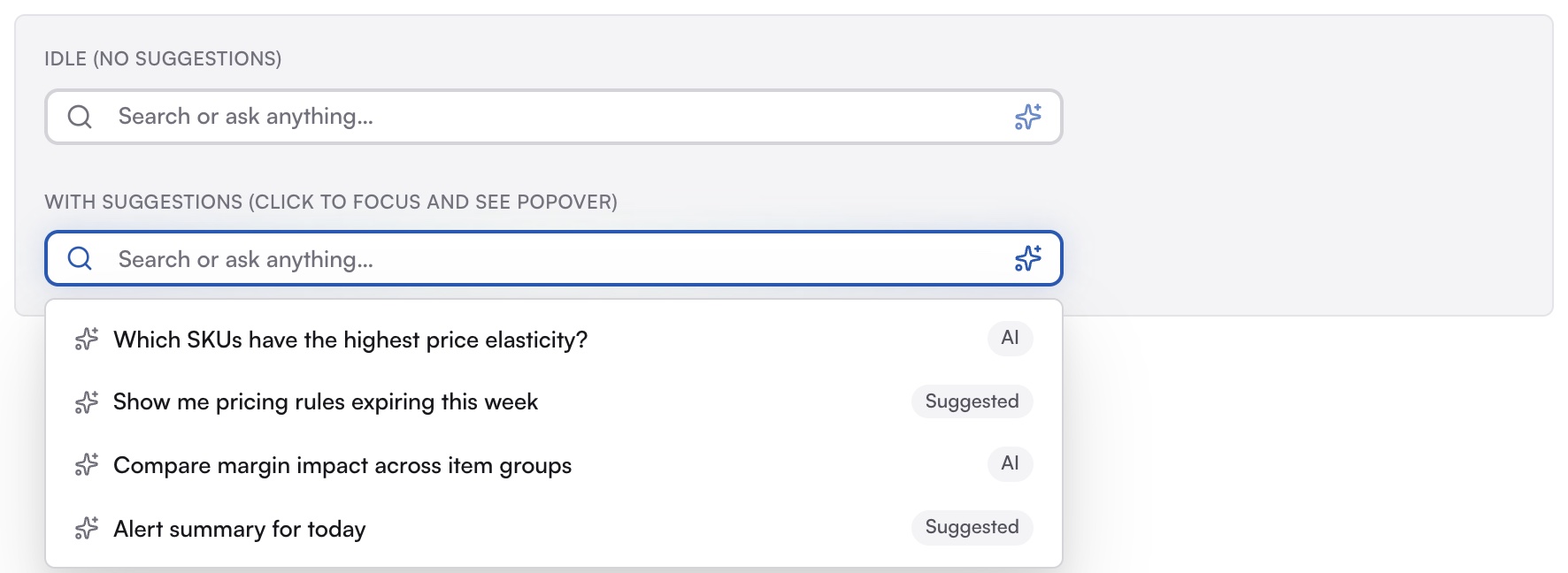
A search field with an AI affordance and a popover of suggested questions, pulled out of the top bar so it can be reused in chat and home alerts.

#203 · ChatBubble
ChatBubble conversation with message states, a chart reply, and follow-up chips
#224 · MultiSelect
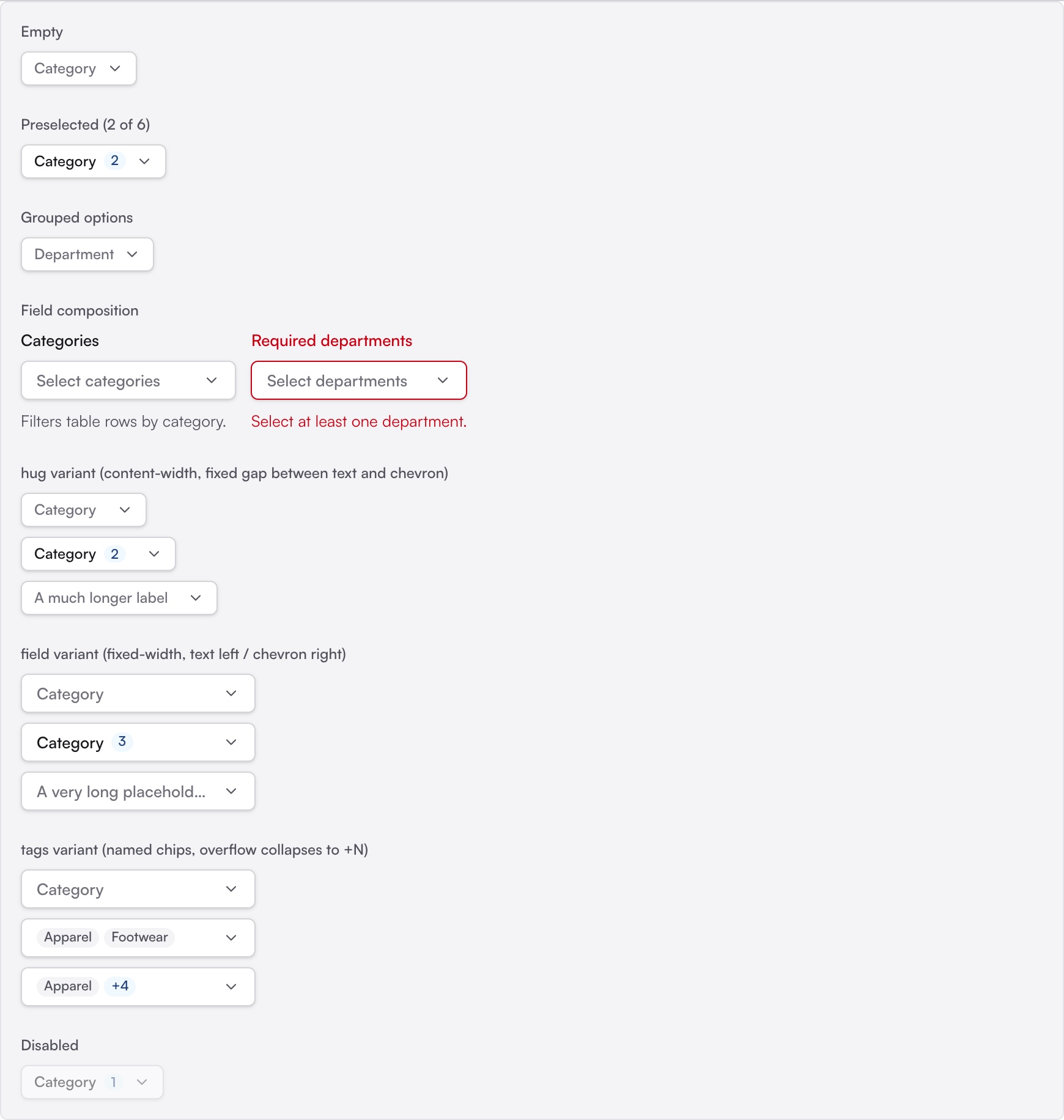
MultiSelect trigger variants and states
#115 · AgenticSearchBar
AgenticSearchBar idle and with its suggestion popover
#8 · UserAvatar
UserAvatar sizes
#145 · GridRadioSelector
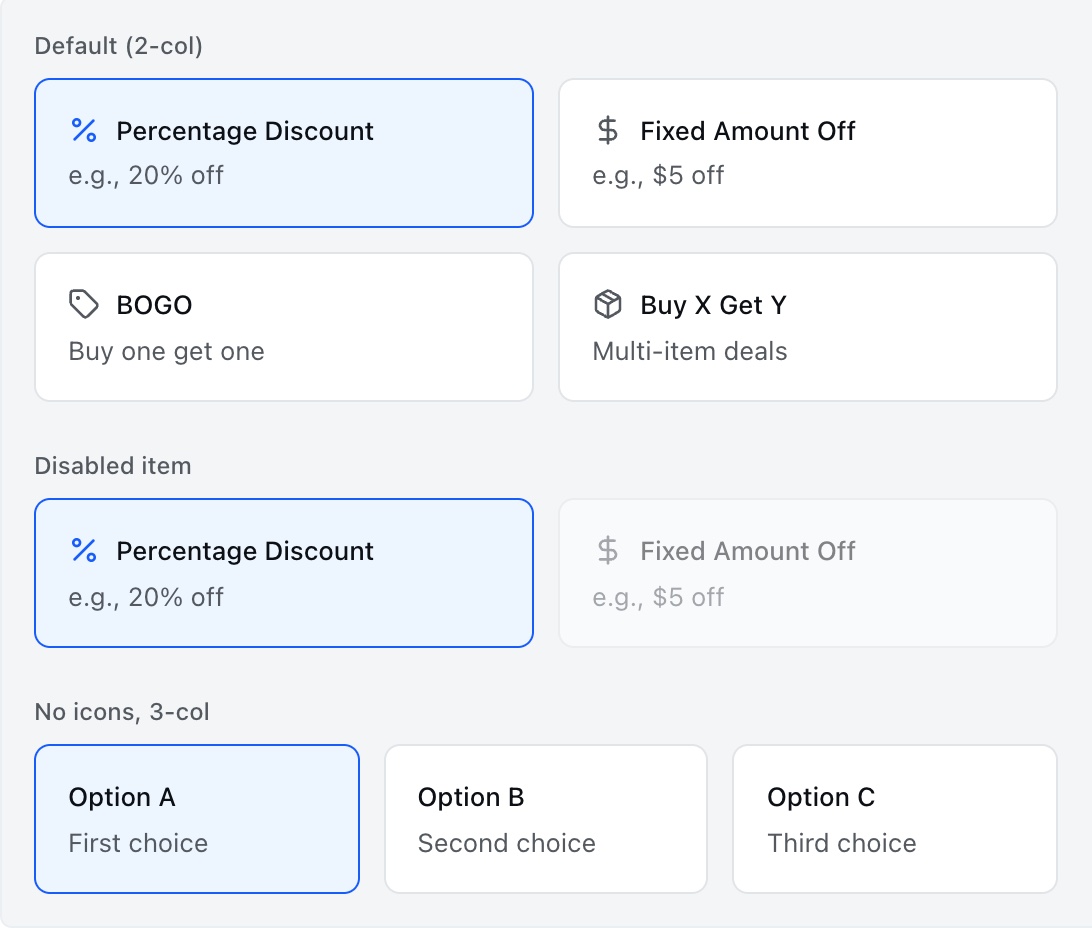
GridRadioSelector with icons, disabled item, and three columns
#146 · RadioGroup
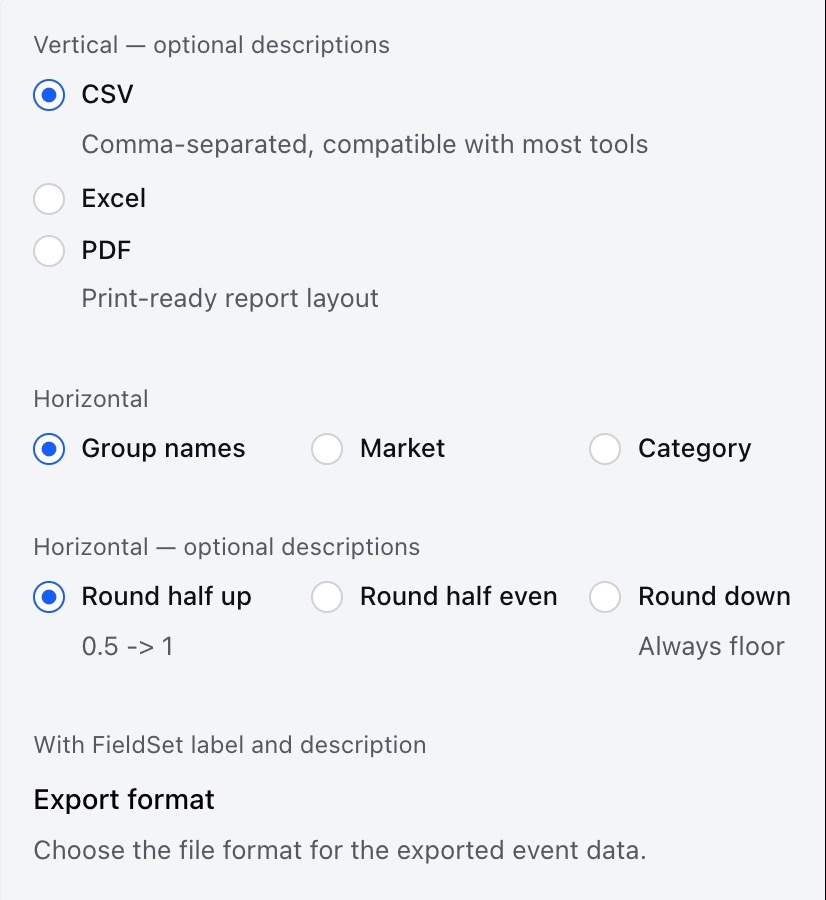
RadioGroup vertical, horizontal, and fieldset variants
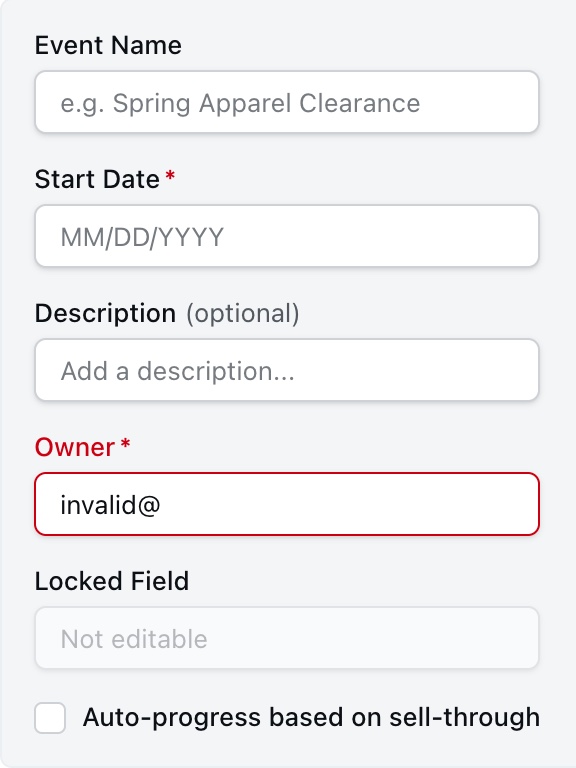
#202 · Label
Label with required, optional, error, and disabled fields
#203 · ChatBubble
#224 · MultiSelect
#115 · AgenticSearchBar
#8 · UserAvatar
#145 · GridRadioSelector
#146 · RadioGroup
#202 · Label
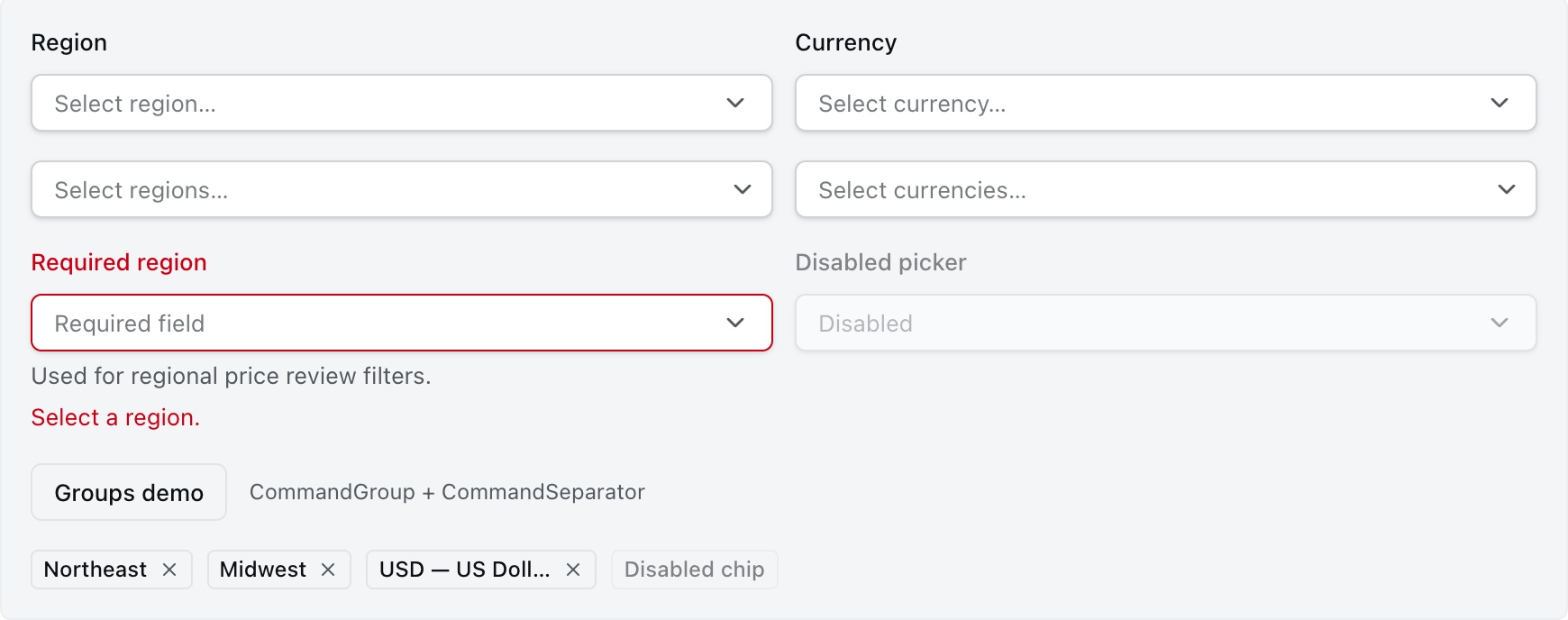
#147 · Combobox
Combobox single and multi select
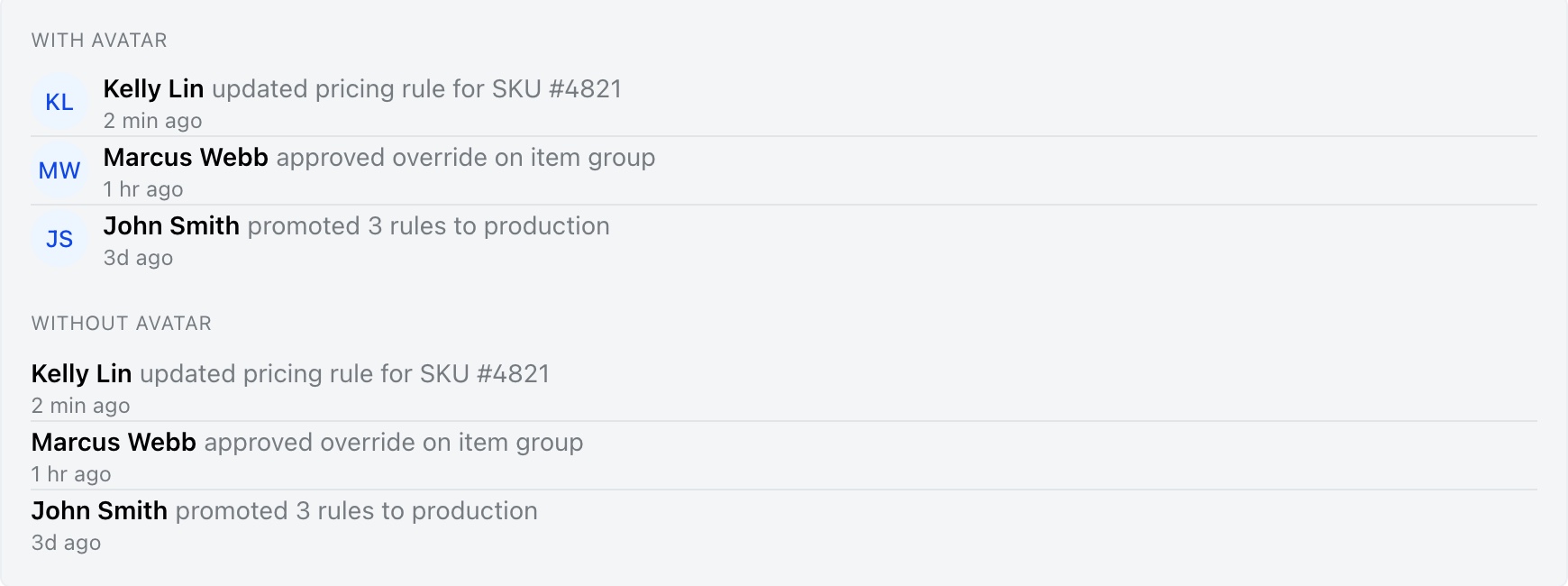
#8 · ActivityItem
ActivityItem with and without avatars
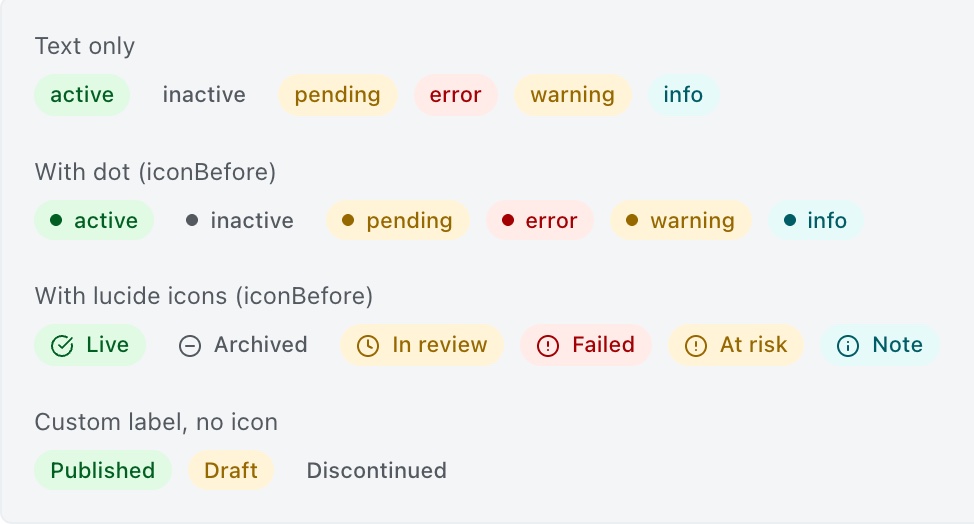
#189 · StatusPill
StatusPill text, dot, icon, and custom label variants
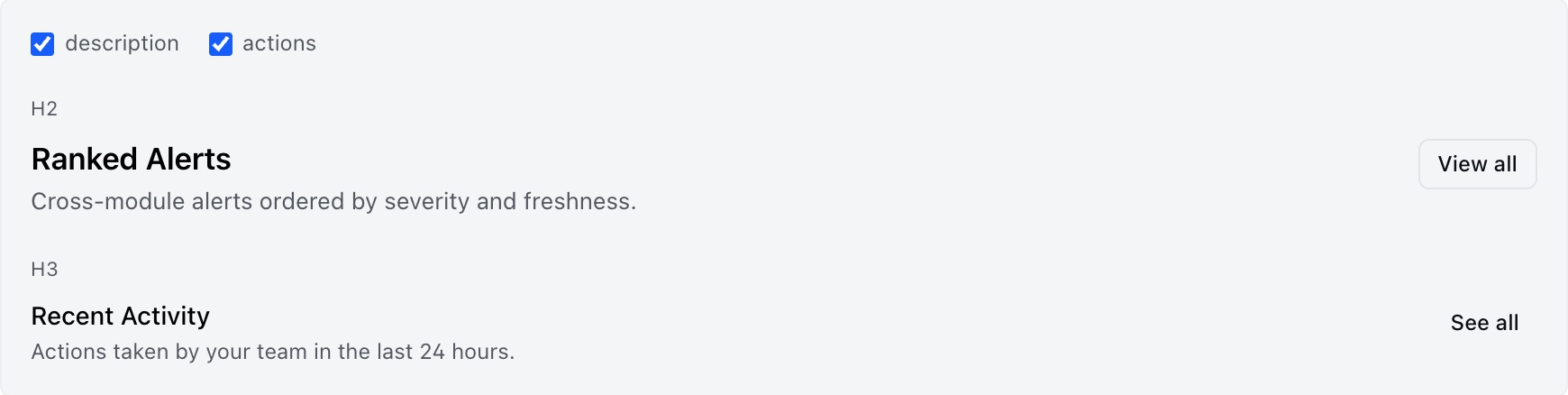
#214 · SectionHeader
SectionHeader with description and actions
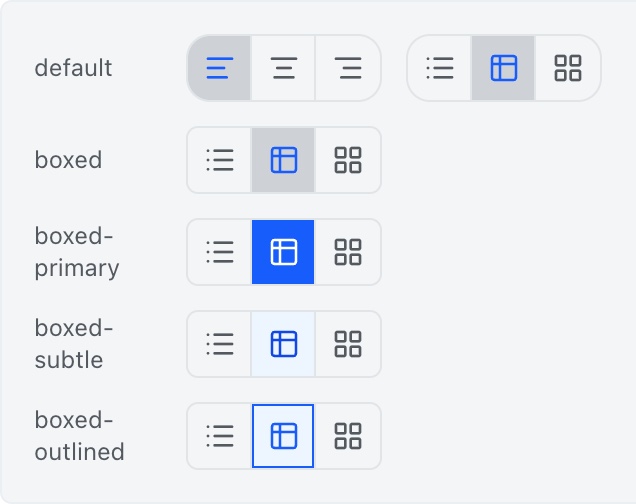
#168 · ToggleGroup
ToggleGroup variants
#257 · AlertsRail · solid badge cards
AlertsRail cards with solid severity badges
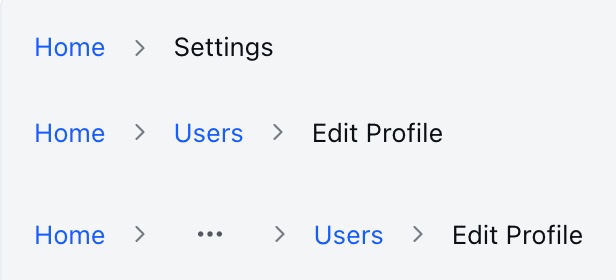
#119 · Breadcrumb
Breadcrumb
#147 · Combobox
#8 · ActivityItem
#189 · StatusPill
#214 · SectionHeader
#168 · ToggleGroup
#257 · AlertsRail · solid badge cards
#119 · Breadcrumb

Components from my merged pull requests, captured from the design system’s showcase with synthetic data.

Beyond One Project

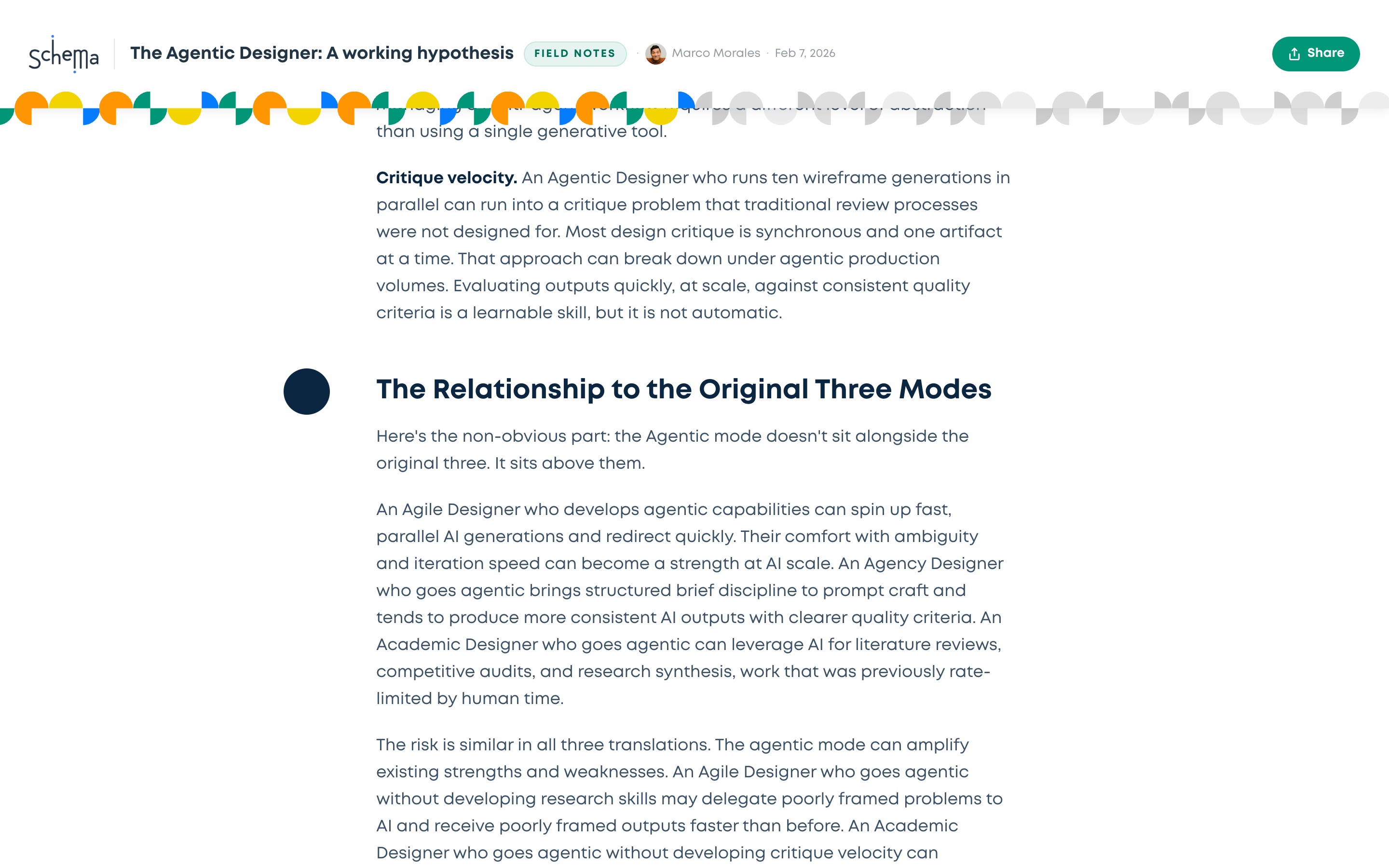
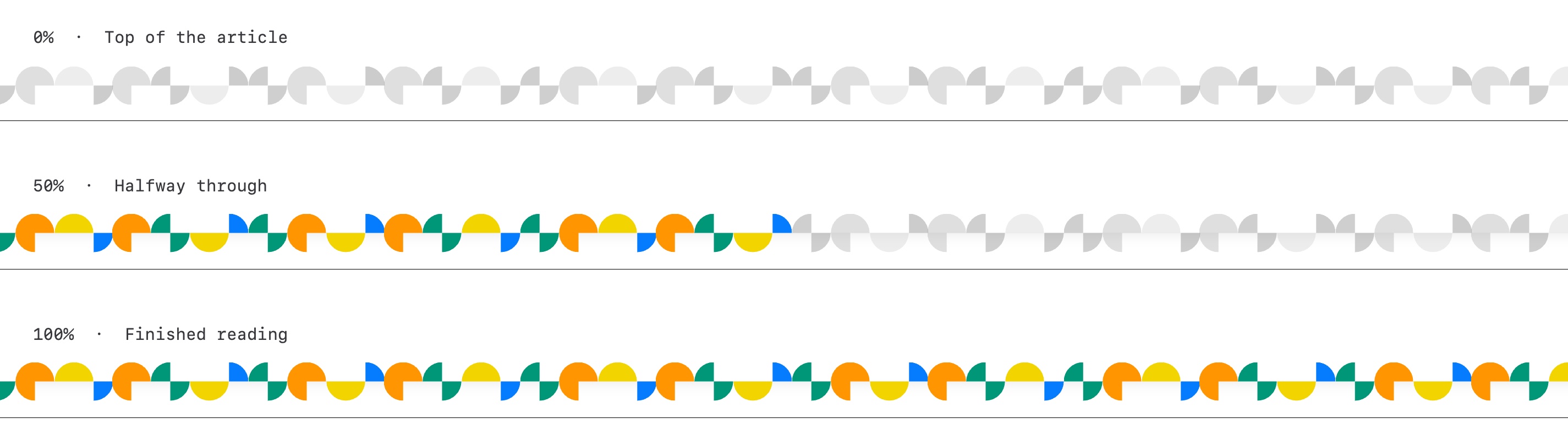
On Schema’s own website, my manager suggested that long articles show reading progress with color instead of motion. I built it with Claude Code: a strip of confetti tiles that starts gray and fills with color as you read, kept in sync across the page and behind a toggle so the team could compare it with the old version.

I also built this portfolio the same way, working with Claude Code from the first commit.

A Schema Insights article halfway through: the confetti strip under the sticky header is colored on the left half and gray on the right
An Insights article, halfway through. The strip under the sticky header tracks reading progress.
The confetti strip at three points: all gray at the top of the article, half colored halfway through, fully colored at the end
The same strip at the start, middle, and end of an article.

What Didn’t Work

Not every experiment paid off. Early on, our team tried having Codex pull reusable components out of the old prototype’s codebase in one pass. It kept reaching for large, page-level patterns before the small pieces existed. That’s why we built the atoms and molecules first, one guided prompt at a time.

What I Took Away

Agents Amplify Intent

Clear sketches, constraints, and states produce good components. A vague prompt produces a vague component, just faster.

Put the Rules Where the Agent Reads Them

The system worked because its conventions lived in the repo, not in anyone’s head.

Design Is Knowing When to Step In

“Claude Code does it pretty well, but then that’s when I jump in.” The value is in the corrections.

See the components and modules in Design System Work →